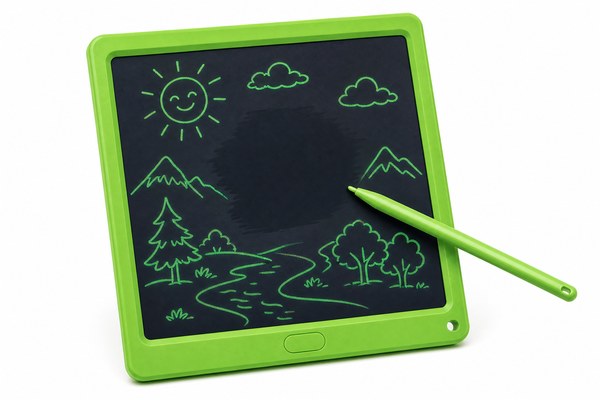
You draw something on your LCD writing tablet. Then you realize part of it is wrong. You want to fix just that one part. But the erase button wipes everything clean.
Most standard LCD writing tablets erase the entire screen at once. You cannot partially erase content on a basic model. However, some advanced LCD writing tablets do offer partial erase features through special stylus tips, pressure zones, or segmented screen designs.
I have worked closely with LCD writing tablet technology for years through GY-industries, our Shenzhen-based OEM factory. I have seen this question come up again and again from parents, teachers, and business buyers. It is one of the most searched questions in this product category. The answer depends a lot on which type of tablet you buy. Let me break it all down for you in simple terms so you can make the right choice.
Why Standard LCD Writing Tablets Erase Everything at Once
You press the erase button. The whole screen goes blank. You lose your entire drawing. That is frustrating when you only wanted to fix one small line.
Standard LCD writing tablets use a single voltage reset to clear the entire screen. The erase circuit sends one signal across the whole display layer. This is by design. It keeps the tablet simple, affordable, and easy to use for everyday tasks.
I remember a customer who came to us at GY-industries asking about this exact issue. She was a primary school teacher. She loved using our LCD tablets for student activities. But she wanted kids to be able to fix mistakes without starting over. I had to explain how the basic erase technology works. The LCD layer in a standard tablet is one connected unit. When you press erase, electricity resets the whole layer at once. There is no way to target one spot. It is like turning off all the lights in a room instead of just one bulb. This is actually what keeps these tablets so affordable and durable. Our CE and RoHS certified tablets at this level are very popular for kids because of that simplicity.
How the Basic Erase Mechanism Works
| Feature | Standard LCD Tablet | How It Affects Erasing | Best For |
|---|---|---|---|
| Erase Method | Full-screen voltage reset | Clears everything at once | Quick full-page notes |
| Screen Layer | Single connected LCD layer | No zone targeting possible | Simple drawing tasks |
| Erase Speed | Instant, under 1 second | No partial options during reset | Kids and casual users |
| Cost Impact | Low production cost | Keeps retail price affordable | Budget-conscious buyers |
Advanced LCD Tablets That Do Allow Partial Erasing
You need more control. You are a designer or a professional note-taker. Full-screen erase wastes your work every single time. There has to be a better option.
Yes, there are advanced LCD writing tablets that support partial erasing. These use segmented screen zones, dual-tip styluses, or pressure-sensitive layers. They allow you to erase one section while keeping the rest of your content intact on the screen.
At GY-industries, I have seen OEM clients request custom partial-erase features quite often. One client needed a tablet for logistics workers. Workers needed to cross out one item on a checklist without erasing the whole list. We worked with that client through our ODM process to develop a segmented-screen solution. The display was divided into independent zones. Each zone could be cleared on its own. It took some extra engineering at our Shenzhen factory. But the result was a product perfectly matched to that client’s needs. This is exactly the kind of custom work our OEM and ODM service is built for. Partial erase is very possible when the product is designed for it from the start.
Partial Erase Options Compared
| Partial Erase Type | How It Works | Accuracy Level | Typical Use Case |
|---|---|---|---|
| Segmented Screen Zones | Screen split into independent sections | Medium — zone-level control | Checklists, forms, business use |
| Dual-Tip Stylus | One tip writes, one tip erases locally | High — targeted spot erasing | Artistic drawing, detailed notes |
| Pressure-Sensitive Layer | Different pressure triggers erase mode | High — very precise control | Professional designers |
| Multi-Section Button | Separate erase buttons per screen area | Medium — section-level only | Teaching aids, training boards |
How to Choose the Right Tablet Based on Your Erase Needs
You do not know which tablet to buy. There are so many options out there. Picking the wrong one means frustration and wasted money every single day.
Think about how you actually use the tablet before you buy. If you take quick notes and erase often, a standard full-erase model is fine. If you need to edit specific parts, look for segmented or dual-tip models. Custom OEM options give you the most control.
I always tell buyers to think about their real daily habits. I spoke with a retail buyer last year who managed a chain of tutoring centers. He wanted tablets for student-teacher interaction during lessons. Teachers needed to highlight mistakes on one part of the screen. They did not want to erase the whole lesson plan. I walked him through our product range at GY-industries. We found a segmented model that matched his needs. Our tablets carry CE, RoHS, and CPC certifications. That gave him confidence in product safety for young students. He ended up ordering a custom OEM batch. The LCD technology behind these products has come a long way, and modern designs really do offer flexible options when you know what to ask for.
Buying Guide by User Type
| User Type | Erase Need | Recommended Tablet Type | Key Feature to Look For |
|---|---|---|---|
| Kids and Parents | Simple full erase is fine | Standard single-layer LCD tablet | Durable body, CPC certified |
| Teachers and Educators | Section-by-section erase preferred | Segmented screen or multi-button model | Clear zone divisions on screen |
| Artists and Designers | Spot erase for fine detail work | Dual-tip stylus or pressure-sensitive model | High stylus precision rating |
| Business and Logistics | Partial list or form updates needed | Custom OEM segmented tablet | ODM customization available |
Conclusion
Partial erasing is possible on the right LCD writing tablet. Your needs should guide your choice. Contact GY-industries today to find or customize the perfect tablet for you.
