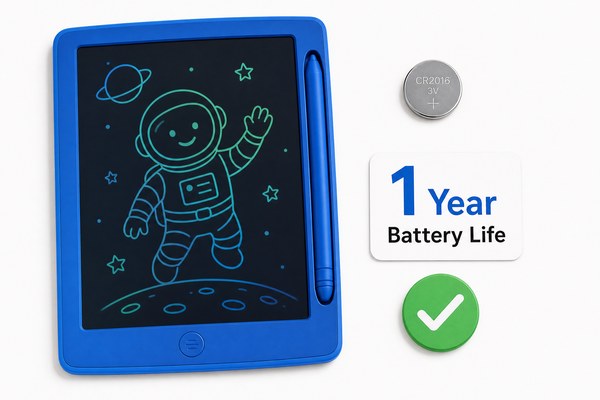
You grab your LCD writing tablet. You start drawing. Then you wonder — am I draining the battery right now?
Writing and drawing on an LCD writing tablet does NOT consume battery power. The e-ink-like bistable LCD technology holds your image without any power. Battery is only used when you press the erase button to clear the screen.
I find this surprises almost everyone the first time they hear it. People assume screens always need power to show something. But LCD writing tablets work differently. The technology behind them is clever and simple at the same time. Once you understand it, you will see why these tablets last so long on a single small battery. Let me walk you through the full picture — from how the screen works, to how long batteries really last, to what actually drains power when it does happen.
How the LCD Screen Holds an Image Without Power
Most people think all screens need constant electricity. That worry makes sense. But with LCD writing tablets, it is simply not true.
The LCD layer in a writing tablet uses a cholesteric liquid crystal material. When you press the stylus, the crystals align and show your marks. They stay in that position on their own. No electricity is needed to hold them there.
I have tested this myself many times at our Shenzhen factory. I write a full page of notes on one of our GY-industries LCD tablets. Then I pull the battery out completely. The writing stays on screen perfectly. I leave it for an hour. Still there. This is not a trick or a gimmick. It is just how the physics works. The crystals lock into place when pressure is applied. They do not need a constant electrical signal to stay visible. Think of it like pressing a stamp into soft wax. The shape stays even after you remove the stamp. Our GY-industries tablets — whether standard retail models or custom OEM/ODM versions for our clients — all use this same core technology. It is reliable, proven, and genuinely power-efficient.
LCD Tablet Screen Technology: Power Use at a Glance
| Action | Power Used? | Why | Battery Impact |
|---|---|---|---|
| Writing with stylus | No | Crystals align from pressure only | None |
| Image staying on screen | No | Crystals hold position passively | None |
| Pressing erase button | Yes | Electrical pulse resets crystals | Very small draw |
| Lock function (if present) | Minimal | Small circuit holds lock state | Negligible |
When Does the Battery Actually Get Used?
So the screen holds your writing for free. But something must use the battery eventually. What is it, and how fast does it drain?
The battery in an LCD writing tablet is only used when you press the erase button. A tiny electrical pulse flows through the screen and resets all the crystals to clear. Each erase uses a very small burst of power. Nothing more.
I remember a conversation with one of our OEM clients in Europe. They were designing a tablet for children. They asked how many erases a battery could handle. I pulled up our internal test data. A standard CR2025 or CR2016 coin cell battery handles roughly 50,000 to 100,000 erase cycles in our GY-industries tablets. That number stopped them in their tracks. Even a child who erases ten times a day would take over twenty years to drain it completely. In practice, most users replace the battery after a couple of years simply because of age, not because it runs out from heavy use. Our tablets carry CE, RoHS, and CPC certifications, so clients know the battery components and circuits meet strict safety standards too. This data gives our partners real confidence when they explore our OEM service options.
Battery Life Comparison by Usage Pattern
| User Type | Erases Per Day | Estimated Battery Life | Notes |
|---|---|---|---|
| Light user (adult notes) | 2–5 | 5–10 years | Battery may age out first |
| Regular user (student) | 10–20 | 3–7 years | Very practical for school use |
| Heavy user (child drawing) | 30–50 | 2–4 years | Still outlasts most gadgets |
| Commercial use (office) | 50–100 | 1–3 years | Easily replaceable coin cell |
Does Writing Speed or Pressure Change Power Use?
Some people write fast. Some press hard. Some scribble lightly. Does any of that affect the battery? It is a fair question to ask.
No. Writing speed, pressure, and stroke length have zero effect on battery drain. Because writing uses no electricity at all, none of these variables matter. Only the number of erase button presses determines how fast the battery depletes over time.
I have had customers ask if pressing the stylus harder uses more power. I completely understand the logic — harder force, more energy, right? But that thinking belongs to motorized or powered devices. Our LCD writing tablets have no motor or power circuit connected to the writing surface at all. I once demonstrated this at a trade show in Shenzhen. I wrote an extremely detailed technical diagram — hundreds of lines and curves. Then I checked the battery indicator. No change. The battery only moved when I hit erase. The audience was genuinely surprised. This is one of my favorite things to show people about our GY-industries products. According to Scientific American’s explanation of bistable display technology, this passive image retention is a core feature of these types of displays. It is real science, not marketing.
Writing Variables and Their Effect on Battery Power
| Writing Variable | Affects Battery? | Reason | User Takeaway |
|---|---|---|---|
| Stylus pressure (hard vs soft) | No | Pressure is mechanical, not electrical | Write any way you like |
| Writing speed (fast vs slow) | No | No power circuit involved in writing | Speed freely without worry |
| Amount written on screen | No | More marks = more crystal alignment, no power | Fill the screen completely |
| How long image stays on screen | No | Passive hold requires zero electricity | Leave notes up as long as needed |
Conclusion
Writing on an LCD tablet uses zero battery. Only erasing does. These tablets are built to last. Want to learn more or source your own? Contact GY-industries today — your trusted Shenzhen LCD tablet OEM partner.
