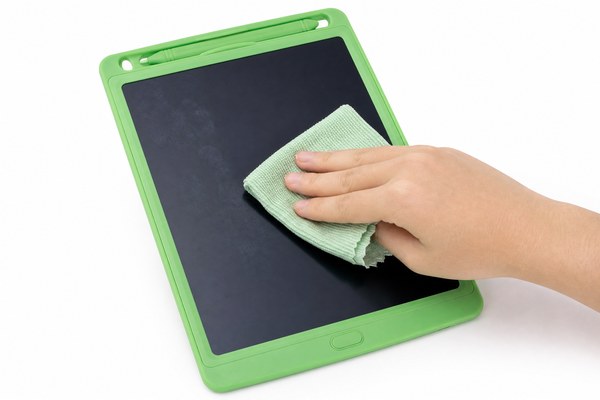
You grab your LCD writing tablet. The screen is covered in smudgy fingerprints. It looks terrible and feels grimy to use.
To clean fingerprints off an LCD writing tablet screen, gently wipe the surface with a dry or slightly damp microfiber cloth. Never use harsh chemicals, alcohol sprays, or abrasive materials. A soft, lint-free cloth is all you usually need.
I have worked closely with the team at GY-industries in Shenzhen for years. We manufacture LCD writing tablets for brands all over the world. In that time, I have seen one question come up again and again. People want to know how to keep their screens clean. It sounds simple. But getting it wrong can damage your tablet fast. Let me walk you through exactly what works — and what to avoid completely.
Why Fingerprints Are a Real Problem on LCD Writing Tablets
Your screen collects oil from your skin fast. Every touch leaves a mark. Over time, the buildup makes writing feel less smooth.
Fingerprints on LCD writing tablet screens are caused by natural skin oils. They transfer instantly on contact. The good news is they are easy to remove safely. The key is using the right tools and the right technique every single time.
I remember visiting our Shenzhen factory floor during a quality check. One of our technicians picked up a freshly made GY-industries LCD tablet. Within seconds, the screen had three fingerprint smudges on it. She laughed and said it was the most common thing customers complained about. We use CE, RoHS, and CPC-certified materials in all our tablets. These certifications matter because the screen surface is designed to be safe and durable. But even durable surfaces need proper care. I started paying much closer attention to how people were handling their screens that day. That visit changed how I talk about screen maintenance.
Common Causes of Fingerprint Buildup
| Cause | Why It Happens | How Often It Occurs | Risk to Screen |
|---|---|---|---|
| Touching the screen directly | Skin oil transfers instantly | Every single use | Low — surface only |
| Using the tablet after eating | Food oils make smudges worse | Frequent in kitchens and offices | Medium — harder to remove |
| Children using the tablet | Kids press harder and touch more | Very frequent | Low to medium |
| Storing without a cover | Dust and oil settle on the screen | Ongoing passively | Low — easy to wipe |
The Right Way to Clean Your LCD Writing Tablet Screen
Most people reach for whatever cloth is nearby. That is where the damage starts. The wrong material can scratch or smear the screen badly.
Use a dry microfiber cloth first. Wipe in slow, circular motions with light pressure. If the smudge remains, slightly dampen the cloth with plain water. Always let the screen dry fully before using it again.
I tested this method myself at home with one of our GY-industries OEM LCD writing tablets. I deliberately pressed my whole palm onto the screen. The print was very clear. I then used a dry microfiber cloth in gentle circles. It was gone in about ten seconds. No water needed at all. I also tried a paper towel once — just to see what would happen. It left tiny scratches I could feel when writing. That small test told me everything. The cloth material matters enormously. I now keep a microfiber cloth in the same drawer as my tablet. It takes one second to grab and use. There is really no excuse for a dirty screen.
Cleaning Methods Compared
| Cleaning Method | Effectiveness | Safe to Use? | Notes |
|---|---|---|---|
| Dry microfiber cloth | Excellent for light smudges | Yes — always safe | Best first choice every time |
| Slightly damp microfiber cloth | Excellent for stubborn marks | Yes — if barely damp | Use plain water only |
| Paper towel or tissue | Poor — smears and scratches | No | Avoid completely |
| Alcohol spray or glass cleaner | Can remove marks short term | No — causes damage | Degrades screen coating fast |
What to Avoid When Cleaning Your LCD Writing Tablet
Some cleaning habits feel natural but cause real harm. I have seen people ruin good tablets with the wrong product. Do not make these mistakes.
Never spray liquid directly onto an LCD writing tablet screen. Never use alcohol, bleach, acetone, or abrasive cleaners. These chemicals strip the protective coating off the screen. Once that coating is gone, the damage is permanent and cannot be reversed.
A retail customer once contacted our GY-industries service team with a complaint. Her tablet screen had gone cloudy and rough to the touch. She had been cleaning it with a spray disinfectant every day. The alcohol in that product had destroyed the protective surface layer. Our tablet screens, built to strict CE and RoHS standards, are durable — but they are not chemical-proof. I felt genuinely sorry for her. It was an honest mistake. But it was also completely avoidable. That story stuck with me. I now make it a point to include cleaning instructions whenever I talk about our OEM LCD tablet products. Proper care costs nothing. Replacing a damaged tablet costs money and time. The liquid crystal display technology inside these tablets is sensitive and deserves gentle handling.
Products and Materials to Avoid
| Product / Material | Why It Is Harmful | Type of Damage |
|---|---|---|
| Alcohol-based sprays | Strips the anti-glare coating | Permanent cloudiness |
| Bleach or household cleaners | Chemically reactive with screen materials | Discolouration and erosion |
| Abrasive cloths or sponges | Physically scratch the screen surface | Visible scratches and drag marks |
| Paper towels or rough tissues | Wood fibres are harder than they look | Fine surface scratches over time |
Conclusion
Keeping your screen clean is simple and quick. A microfiber cloth is all you need. For premium LCD writing tablets built to last, explore GY-industries today.
