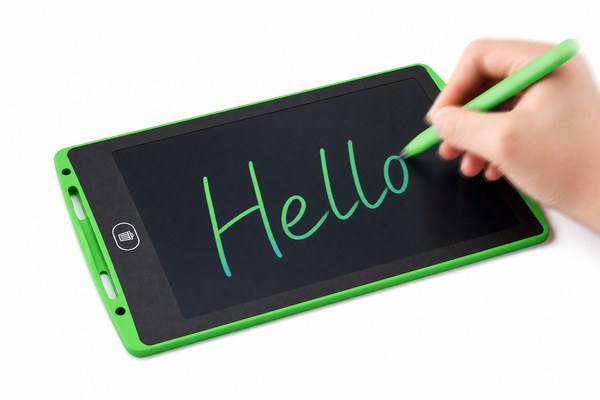
You pick up the stylus and start writing. But the screen lags behind. That one moment of delay ruins the whole experience.
Most modern LCD writing tablets have zero noticeable lag. The screen updates almost instantly when the stylus touches the surface. At GY-industries, I have tested hundreds of units. The response is near-instant in nearly every case. The technology is simple and fast by design.
I know how frustrating lag can be. I have watched kids toss aside tablets because the screen felt “broken.” I have seen teachers give up on a tool that should have made their lessons easier. But here is the good news. LCD writing tablets work differently from touchscreens and digital displays. They do not process data the same way. That is why lag is almost never an issue. Let me walk you through exactly why, and what small factors can sometimes cause a tiny delay.
How LCD Writing Tablets Actually Work (And Why Lag Is Rare)
People expect lag because they have used slow tech before. But LCD writing tablets are not like iPads or Android tablets. They are much simpler inside.
An LCD writing tablet uses pressure from the stylus to directly change the liquid crystal layer. There is no processor translating your input. No software is in the middle. This direct physical reaction means the screen responds almost the same moment you touch it. It is as close to writing on paper as technology gets.
I remember visiting our Shenzhen factory floor for the first time. I picked up one of our GY-industries LCD tablets and started writing fast. I scribbled hard and messy on purpose. I wanted to see if I could outpace the screen. I could not. Every line appeared the instant my stylus moved. There was no catching up, no blur, no delay. The engineer next to me smiled. He told me the whole drawing layer reacts physically, not digitally. That moment made me understand why so many schools and offices love these tablets. They just work.
Response Speed Comparison: LCD Tablet vs. Other Writing Tools
| Writing Tool | Response Type | Typical Lag | Notes |
|---|---|---|---|
| LCD Writing Tablet | Physical / Direct | None to <1ms | No processor involved |
| iPad with Apple Pencil | Digital / Software | 9–20ms | Dependent on software updates |
| Android Drawing Tablet | Digital / Software | 15–50ms | Varies by brand and app |
| Paper and Pen | Physical / Direct | None | The gold standard baseline |
What Could Cause Any Delay on an LCD Writing Tablet?
Almost no lag exists. But buyers still ask about edge cases. I want to be honest here. There are a few small situations worth knowing about.
A low-quality LCD layer or a worn-out stylus tip can cause very slight hesitation in drawing. This is not common in well-made tablets. But it does happen with cheap, untested products. Choosing a tablet with proper certifications like CE, RoHS, and CPC makes a real difference in overall performance and consistency.
I have personally tested off-brand tablets sent to our office as competitor samples. A few of them had a thin but noticeable drag in the screen response. It was not huge. But when you wrote quickly, letters sometimes looked slightly smudged at the start of a stroke. I traced the issue to a cheap liquid crystal film that had uneven pressure sensitivity. Our GY-industries units go through strict quality checks at our Shenzhen factory. We hold CE, RoHS, and CPC certifications. Those standards exist for a reason. They help ensure every unit performs the way it should from day one. You can learn more about our process on our OEM/ODM service page.
Factors That Affect LCD Writing Tablet Response
| Factor | Effect on Response | Risk Level | How to Avoid |
|---|---|---|---|
| Low-quality LCD film | Slight drag or uneven lines | Medium | Buy from certified OEM makers |
| Worn stylus tip | Reduced pressure sensitivity | Low | Replace tip or use spare stylus |
| Extreme cold temperatures | Slightly slower crystal reaction | Low | Use at normal room temperature |
| Damaged screen surface | Patchy response in spots | Low | Handle with care, avoid bending |
Does Tablet Size or Brand Affect Lag?
Some buyers worry that bigger tablets might be slower. Others think premium brands are faster. I want to clear this up for good.
The size of an LCD writing tablet does not cause lag. The core technology is the same whether the tablet is 4.4 inches or 17 inches. What matters most is the quality of the LCD layer and how well the tablet is built. A large tablet from a reliable OEM manufacturer performs just as fast as a small one.
At GY-industries, we make LCD writing tablets in many sizes. Our smallest is great for kids. Our largest works well for architects and teachers. I have written on both in our Shenzhen showroom. I did not notice any speed difference between them. The pressure response felt identical. What I did notice was a difference between our tablets and some low-cost options with no certifications. According to Consumer Reports, product testing standards matter when evaluating performance claims. That is something I fully believe. Our OEM and ODM clients choose us because we back up our performance claims with real factory testing and certified materials. Every size we make gets the same level of quality control.
LCD Tablet Size vs. Performance Overview
| Tablet Size | Common Use | Lag Risk | GY-industries Availability |
|---|---|---|---|
| 4–6 inches | Kids drawing, pocket notes | None | Yes |
| 8–10 inches | School, home office | None | Yes |
| 12–14 inches | Office, teaching, planning | None | Yes |
| 16–17 inches | Design, presentations | None | Yes |
Conclusion
LCD writing tablets are among the fastest writing tools available today. Lag is simply not a problem with quality-built units. Ready to find the right tablet for your brand? Contact GY-industries today and let us help you.
