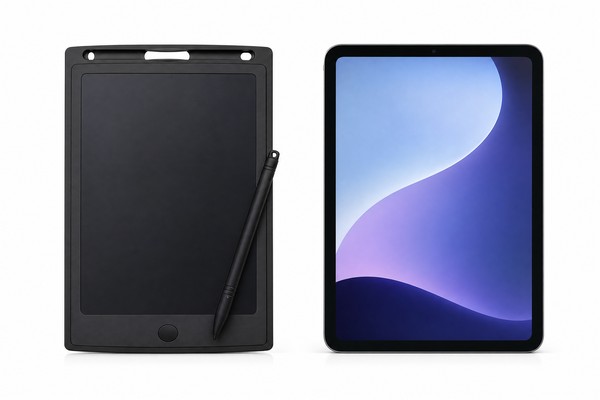
Screen Quality and Display Complaints
Display quality is the single most visible attribute of an LCD writing tablet, and it generates some of the most emotionally charged negative reviews. When a parent opens a package expecting a bright, clear drawing surface and instead sees a dim, uneven, or ghost-image screen, the disappointment is immediate.
Screen complaints cluster into several distinct sub-problems, each rooted in specific manufacturing or design choices.
Lines, Shadows, and Ghost Images on the Screen
One of the most frequently cited complaints in one-star reviews is the appearance of faint lines, shadows, or residual images on the LCD panel — sometimes called “ghosting.” This occurs for a specific physical reason. LCD writing tablets use a pressure-sensitive liquid crystal layer sandwiched between two flexible films.
When pressure is applied with a stylus, the liquid crystals align locally to create a visible mark. If the pressure is uneven, or if the film layers have been stressed during manufacturing or shipping, some crystals can remain partially aligned even after the erase function is activated.
The result is a faint shadow of a previous drawing that never fully disappears.
Uneven Screen Color and Dark Patches
A related but distinct complaint involves uneven screen coloring — areas of the screen that appear darker, lighter, or a different shade than the surrounding surface. This issue is typically caused by inconsistencies in the liquid crystal layer during production.
The LCD material in writing tablets is a cholesteric liquid crystal compound, sometimes called bistable cholesteric liquid crystal. This material has two stable states: a reflective (colored) state and a transparent state.
When the layer is applied unevenly — too thick in some areas, too thin in others — the reflective properties differ across the panel, producing visible color variation.
Low-cost manufacturing processes that skip quality inspection at the panel assembly stage are the primary driver of this complaint. Consumer reviews frequently describe patches as looking like “bruising” or “water damage” even on new products. For B2B buyers sourcing large quantities, this kind of defect can mean a significant return rate.
Manufacturers like GY-industries who maintain in-line quality control during panel lamination — including visual inspection and pressure-uniformity testing — produce substantially fewer units with this class of defect.
Screen Too Small or Writing Surface Too Limited
This is a complaint that sits at the intersection of product design and consumer expectation management. Many LCD tablet listings advertise a product dimension — say, “8.5 inch” — which refers to the diagonal measurement of the entire device, not the usable writing area.
The actual drawing surface is typically smaller once the frame, border, and lock-button area are accounted for. Consumers who expect a full 8.5-inch canvas and receive a writing area closer to 6 or 6.5 inches understandably feel misled.
Erase Function and Partial-Clear Issues
If screen quality is the most visually obvious source of complaints, the erase function is the most functionally frustrating. The appeal of an LCD writing tablet rests almost entirely on its ability to be drawn on, erased, and reused indefinitely.
When the erase function fails — whether it erases only part of the screen, requires excessive force, or stops working entirely — the product loses its core value proposition. These complaints are among the most common across all price points.
Partial Erasure: Only Half the Screen Clears
The single most common erase-related complaint in reviews is that pressing the erase button clears only a portion of the screen — typically one side, one quadrant, or a large patch in the center. This is a well-understood technical problem with a specific mechanical cause.
The erase function in LCD writing tablets works by sending a precisely controlled electrical pulse across the entire panel simultaneously, causing all the liquid crystals to return to their default (cleared) state. The electrical signal is delivered through a conductive layer connected to the erase button’s circuit.
The Erase Lock Feature: Misunderstood or Poorly Implemented
Many LCD writing tablets include an “erase lock” feature — a small switch that disables the erase button to prevent accidental clearing of artwork or writing. This feature is genuinely useful, particularly for educational applications where a teacher or parent wants to prevent a child from erasing their work before it is reviewed.
However, it generates a surprising number of complaints from users who don’t realize the lock has been accidentally engaged.
Erase Button Failures After Repeated Use
Beyond connection issues and lock misunderstandings, the physical erase button mechanism itself is a durability weak point in lower-quality products. The button is typically a simple tactile dome switch mounted on the PCB.
In high-quality implementations, these switches are rated for tens of thousands of actuation cycles — more than sufficient for a product’s expected lifespan.
In low-cost implementations, cheaper dome switches with lower cycle ratings are used, and the button can begin to feel “mushy,” require excessive force, or fail to register presses reliably after months of regular use.
Battery Life, Power, and Charging Complaints
Power-related complaints are the third major category of LCD tablet reviews, and they are particularly frustrating to consumers because they are often difficult to diagnose.
A tablet that won’t turn on, drains batteries quickly, or has an unreliable charging port creates a perception of a “dead” product — even when the underlying issue might be as simple as battery orientation. That said, many power complaints are legitimate product quality failures.
Batteries Running Out Quickly or Not Lasting
A common consumer frustration is that an LCD tablet’s batteries seem to drain faster than expected. This complaint requires some technical context to evaluate fairly. LCD writing tablets are extraordinarily energy-efficient compared to electronic screens like tablets or smartphones.
The liquid crystal layer does not require continuous power to maintain a written image — power is only consumed when drawing (passive, through stylus pressure) or when erasing (a brief electrical pulse).
In a properly designed product, a single CR2025 or similar coin cell battery, or a set of AAA batteries depending on the model, can last for many months of regular use.
Charging Port Failures in Rechargeable Models
The market has shifted meaningfully toward USB-rechargeable LCD writing tablets, particularly in the premium segment. These products eliminate the need for battery replacement, which is a legitimate convenience benefit, especially for products marketed toward young children. However, rechargeable models introduce a new category of complaints centered on the charging port.
Product Won’t Turn On: Packaging, Tabs, and First-Use Issues
A surprisingly high volume of “dead on arrival” complaints in LCD tablet reviews are not caused by product defects at all. Most LCD writing tablets ship with a battery isolation tab — a small plastic or paper pull-tab inserted between the battery and its contact — to prevent battery drain during storage and shipping.
This tab must be removed before first use. A meaningful number of consumers, particularly those purchasing for young children or as gifts, either miss this instruction entirely or cannot locate the tab.
Build Quality, Durability, and Safety Concerns
Build quality complaints cover the widest range of issues and tend to generate the most concerned reviews, particularly from parents. When a toy breaks quickly, poses a potential safety risk, or simply feels cheap relative to its price, the emotional response from parents is strong.
This section covers the most commonly cited physical and safety-related complaints, along with the manufacturing realities behind them.
Stylus Loss and Tether Design Problems
The stylus complaint is almost universal across LCD tablet reviews at every price point. The tethered stylus — a small, pen-like writing tool attached to the tablet by a thin cord or chain — is essential to the product’s function, but it is consistently cited as a durability and design weakness.
Common complaints include: the tether breaks or detaches after a few weeks of use, the stylus attachment point on the tablet cracks or breaks off, the tether is too short to write comfortably, or the stylus is simply lost because it was not properly tethered in the first place.
Frame Cracking, Corner Damage, and Drop Resistance
LCD writing tablets are marketed to children, but their physical design often underestimates the mechanical abuse that children regularly inflict on toys.
Drop resistance is a frequently raised complaint — reviews describing a cracked corner, a split frame, or a shattered LCD panel after a relatively modest fall are common, particularly for tablets with thin plastic frames and no rubberized edge protection.
Safety Concerns: Materials, Small Parts, and Certification
Among all complaint categories, safety-related concerns carry the most serious implications — for consumers, for retailers, and for B2B buyers who could face regulatory liability.
Parent reviewers sometimes raise concerns about material safety (odors, potential chemical off-gassing), small parts hazards (stylus tips, button covers, battery compartment screws), and the absence of visible safety certifications on the product or packaging.
What B2B Buyers Can Learn from Consumer Reviews
For importers, Amazon sellers, and toy brands sourcing LCD writing tablets, consumer reviews are not just customer feedback — they are a real-time quality audit of the supply chain.
Every recurring complaint category described in this article represents a preventable failure, and most failures can be traced to specific, addressable decisions made during product design, manufacturing, or packaging. This section synthesizes the previous analysis into actionable intelligence for the B2B market.
Using Reviews as a Supplier Evaluation Tool
Before committing to a new LCD tablet supplier or placing a large initial order, systematic review analysis across competing products in your target category is one of the most efficient due-diligence methods available. Search for products at the same price point and form factor you intend to sell, and analyze the one-star and two-star reviews specifically.
Group complaints by category: screen quality, erase function, battery/power, physical durability, safety, and listing accuracy. Calculate rough complaint rates across these categories for each product you evaluate.
Translating Common Complaints Into Product Specifications
Each major complaint category identified in consumer reviews has a corresponding product specification that can be negotiated with a manufacturer. The table below maps the most common complaints to their root causes and the specification-level responses available to B2B buyers.
Packaging, Documentation, and the Unboxing Experience
Several of the most common complaints in LCD tablet reviews — the “dead on arrival” battery tab issue, the erase lock confusion, the stylus tether detachment that surprises users — are not strictly product defects. They are failures of the communication between the product and its user.
Good packaging design and clear documentation can prevent a meaningful proportion of negative reviews without requiring any changes to the product itself.
Comparison Table: Common LCD Tablet Complaints —
GY-industries · Factory Direct · Shenzhen
Ready to Source LCD Writing Tablets?
Get factory pricing, free samples, CE/FCC/CPC certificates, and OEM/ODM consultation. Response within 24 hours.
✓ Free samples available
✓ MOQ from 500 units
✓ CE / FCC / CPC certified
✓ 15+ years experience
References
- [1] U.S. Consumer Product Safety Commission. Toy Safety guidelines. https://www.cpsc.gov/Business–Manufacturing/Business-Education/Toy-Safety
- [2] American Academy of Pediatrics. AAP guidelines on children’s media. https://www.aap.org/en/patient-care/media-and-children/
GY-industries · Factory Direct · Shenzhen
Ready to Source LCD Writing Tablets?
Get factory pricing, free samples, CE/FCC/CPC certificates, and OEM/ODM consultation. Response within 24 hours.
✓ MOQ from 500 units
✓ CE / FCC / CPC certified
✓ 15+ years experience
References
- [1] U.S. Consumer Product Safety Commission. Toy Safety guidelines. https://www.cpsc.gov/Business–Manufacturing/Business-Education/Toy-Safety
- [2] American Academy of Pediatrics. AAP guidelines on children’s media. https://www.aap.org/en/patient-care/media-and-children/
LCD Writing Tablet Buyer Review Table
| Area | Buyer check | Evidence |
|---|---|---|
| Buyer review area | What to clarify | Evidence to keep |
| Product scope | Confirm the final model and use case | Approved specification |
| Commercial terms | Agree responsibilities and milestones | Written purchase terms |
| Quality control | Define key acceptance checks | Inspection record |
