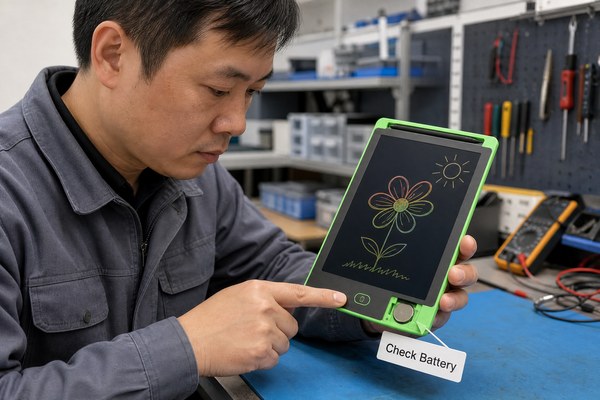
Your LCD writing tablet erase button stops working. You press it again and again. Nothing happens. This is so frustrating.
Most of the time, an LCD writing tablet won’t erase because of a dead battery, a locked erase function, physical button damage, or a faulty LCD panel. These are all fixable problems. Knowing which one you have makes the fix easy and fast.
I have worked closely with the team at GY-industries in Shenzhen for a long time. I have seen this exact problem come up more than you might think. Customers contact us every week about erase issues. The good news is that most cases have a simple root cause. Once you know what to look for, you can usually fix it in minutes. Let me walk you through the three main reasons this happens and exactly what to do about each one.
1. The Battery Is Dead or Too Weak to Trigger the Erase
The erase button does nothing. You feel a click. But the screen stays full. The battery is the first place I always look.
LCD writing tablets use a small coin cell battery, usually a CR2016 or CR2025. When this battery gets low, the erase circuit loses power first. The screen may still display your writing, but erasing becomes impossible without enough voltage to reset the display.
I remember talking to a teacher who bought a bulk order of LCD tablets for her classroom. After about six months, several tablets stopped erasing. She thought the tablets were broken. I asked her one question: “Have you changed the battery?” She had not. We walked through the battery swap together over email. Every single tablet worked perfectly after that. It took her less than two minutes per tablet. This is the most common fix I share with people. A fresh battery solves the erase problem in the majority of cases I have seen. Always try this first before anything else.
Battery Troubleshooting Quick Reference
| Symptom | Likely Battery Status | What To Do | Expected Result |
|---|---|---|---|
| Screen writes fine, erase fails | Battery is low | Replace with new CR2016 or CR2025 | Erase works immediately |
| Screen is faded or dim | Battery is nearly dead | Replace battery right away | Screen and erase both recover |
| No response at all from tablet | Battery is fully dead | Replace battery and check contacts | Full function restored |
| New battery, still no erase | Not a battery issue | Move to next troubleshooting step | Identify a different cause |
2. The Lock Function Is Turned On Without You Knowing
You have a fresh battery. Still no erase. You feel stuck. Many people miss this next cause completely.
Most LCD writing tablets have a lock switch or lock button. This feature protects your writing from accidental erasure. If the lock is on, the erase button will not work at all. It is designed to do exactly that. Switching the lock off takes just one second.
I have a personal example of this one. My own child used my demo tablet one afternoon. When I came back to it, the erase button did nothing. I spent a few minutes confused. Then I looked at the side of the tablet. The small lock slider had been moved to the locked position. My child had discovered it while playing. I slid it back, and the erase button worked instantly. I felt a little embarrassed that I forgot about it. But this happens to adults all the time. At GY-industries, we manufacture tablets with clearly marked lock switches. Still, many users do not notice them. Always check for a lock before assuming your tablet is broken.
Lock Feature Overview by Tablet Type
| Tablet Type | Lock Location | Lock Style | How To Disable |
|---|---|---|---|
| Standard writing tablet | Side edge | Slider switch | Slide to the unlocked icon |
| Kids drawing tablet | Back panel | Recessed button | Press and hold for 3 seconds |
| Large format LCD board | Top edge | Toggle switch | Flip toggle to open padlock symbol |
| OEM custom tablet | Varies by design | Varies | Check the product manual or OEM guide |
3. The Erase Button or Internal Circuit Is Physically Damaged
Battery is good. Lock is off. Still no erase. Now we need to look at physical damage inside the tablet.
If the erase button has been pressed thousands of times, it can wear out. The button contact underneath may fail. The internal flex cable that connects the button to the LCD circuit can also break. Physical damage like this usually requires a repair or replacement of the unit.
I spoke with a warehouse manager who used LCD tablets daily for labeling. His team pressed the erase button dozens of times per hour. After about a year, two tablets stopped erasing. The battery was fine. The lock was off. I asked him to press the erase button and feel for a firm click. He said the button felt mushy and soft. That told me everything. The button mechanism had worn out from heavy use. This is a real-world durability issue. At GY-industries, our tablets go through rigorous testing at our Shenzhen factory. Our products carry CE, RoHS, and CPC certifications. But no button lasts forever under extreme use. For high-volume users, I recommend checking our after-sales service options for repair and replacement support. It is worth knowing what is covered before a problem happens.
Physical Damage Diagnosis Table
| What You Notice | Possible Cause | DIY Fix Possible? | Recommended Action |
|---|---|---|---|
| Button feels mushy or stuck | Worn button contact | No, internal repair needed | Contact manufacturer for service |
| Button clicks but nothing happens | Broken flex cable or circuit | No, specialist repair needed | Send for repair or replace unit |
| Screen shows partial erase lines | LCD panel degrading | No | Replace the LCD panel or tablet |
| Drop damage visible on casing | Internal component shifted | Sometimes | Open carefully or seek professional help |
If you are unsure about what caused your specific issue, resources like the iFixit repair guide database can help you understand basic electronics repair steps safely.
Conclusion
Start with the battery. Then check the lock. Then look for physical damage. Still stuck? Contact GY-industries today. We are happy to help you find the right solution fast.
