“`html
Parents worry every day. They see their kids using screens non-stop. Their eyes are getting worse. Is your child’s LCD writing tablet making things worse?
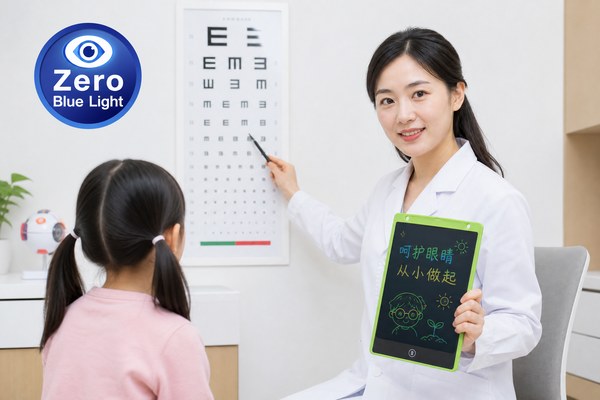
Prolonged use of an LCD writing tablet does not directly cause nearsightedness. LCD writing tablets are non-backlit, low-emission tools. They do not produce the same eye strain as phones or computers. However, bad posture and poor lighting habits can still put stress on young eyes.
I have worked closely with the team at GY-industries in Shenzhen for years. I have seen how these tablets are built. I have also talked to many parents and teachers about this exact question. There is a lot of confusion out there. Some people think any screen is bad for eyes. But LCD writing tablets are very different from glowing screens. Let me break this down clearly. By the end of this article, you will know the real risks, what to watch out for, and how to use these tools safely every single day.
How LCD Writing Tablets Are Different From Other Screens
Most parents panic when they hear the word “screen.” They think of bright phone displays. But not all screens are the same. This difference matters a lot for eye health.
LCD writing tablets like the ones made by GY-industries do not have a backlight. They reflect ambient light just like paper does. This means there is no direct light beam hitting your child’s eyes. That alone makes them much safer than tablets, phones, or computers.
I remember the first time I held one of the GY-industries LCD writing tablets fresh off the production line. I was surprised by how gentle it looked. I held it up next to my phone screen. My phone was blazing bright. The LCD writing tablet looked just like a chalkboard. No glow. No pulse. No flicker from a backlight. I showed it to a friend who is a primary school teacher. She said it reminded her of the old slate boards kids used decades ago. That simple observation stuck with me. These tools are built to be easy on the eyes. GY-industries products also carry CE, RoHS, and CPC certifications. Those certifications check for harmful emissions and materials. That gives me extra confidence in recommending them.
Screen Type Comparison: What Goes Into Your Eyes
| Device Type | Has Backlight? | Blue Light Emission | Eye Strain Risk |
|---|---|---|---|
| Smartphone | Yes | High | High |
| Computer Monitor | Yes | High | High |
| LCD Writing Tablet | No | Very Low | Low |
| Paper / Notebook | No | None | Very Low |
What Actually Causes Nearsightedness in Children
Nearsightedness is rising fast in kids worldwide. Parents blame screens. But the real causes are more specific. Knowing them helps you protect your child better.
According to eye health research, nearsightedness in children is mainly caused by too much close-up work, not enough outdoor time, and genetic factors. The type of screen matters less than how long and how close a child uses it. Distance and daily habits are the real issue.
I have a nephew who developed nearsightedness at age seven. His doctor told my sister something I found very interesting. The doctor said it was not the type of screen he used. It was that he sat too close for too long and almost never went outside. That hit me hard. I started looking at the research more carefully. The World Health Organization and many eye specialists point to outdoor time as a major protective factor. Kids who spend time outside have much lower rates of nearsightedness. The LCD writing tablet my nephew uses now is from a GY-industries OEM line. His sessions are short, and he sits at a proper distance. His eye doctor was not concerned about the tablet at all.
Key Risk Factors for Childhood Nearsightedness
| Risk Factor | High Risk Behavior | Low Risk Behavior | Can LCD Tablet Help? |
|---|---|---|---|
| Close-up distance | Holding device under 30 cm | Keeping device at 40–50 cm | Yes, easy to position correctly |
| Screen brightness | High backlit brightness | Ambient light reflection only | Yes, no backlight needed |
| Outdoor time | Less than 1 hour per day | 2 or more hours per day | Neutral, depends on schedule |
| Continuous use duration | Over 60 minutes non-stop | Breaks every 20–30 minutes | Neutral, good habits still needed |
Safe Habits to Protect Eyes When Using an LCD Writing Tablet
Even safe tools can become a problem with bad habits. I see this all the time. A great product used the wrong way can still cause discomfort. Simple rules make a big difference.
To protect your child’s eyes while using an LCD writing tablet, follow the 20-20-20 rule: every 20 minutes, look at something 20 feet away for 20 seconds. Keep good posture. Use the tablet in a well-lit room. These habits work for all close-up tasks, not just screens.
I spoke with a kindergarten teacher who uses GY-industries LCD writing tablets in her classroom every week. She told me she sets a small timer for 20 minutes. When it goes off, all the kids look out the window for a moment. She said it became a fun little ritual. The kids started calling it “eye break time.” She also told me she always made sure the room lights were on. She never let kids use the tablets in a dim corner. Small habits like these cost nothing. They protect a lot. GY-industries even offers OEM and ODM customization options for educational buyers. Schools can order tablets sized perfectly for small hands. Proper sizing also helps kids hold the tablet at the right distance naturally. You can learn more at the GY-industries service page.
Daily Eye Protection Habits: Quick Reference Guide
| Habit | What to Do | Why It Helps | Age Group |
|---|---|---|---|
| 20-20-20 Rule | Look 20 feet away every 20 minutes for 20 seconds | Relaxes eye focus muscles | All ages |
| Proper Distance | Keep tablet at least 40 cm from eyes | Reduces eye strain and close-focus stress | All ages |
| Good Lighting | Use tablet in a well-lit room | Stops eyes from working too hard | All ages |
| Outdoor Time | At least 2 hours outside daily | Natural light helps eye development | Children especially |
Conclusion
LCD writing tablets are not a cause of nearsightedness. Good habits matter most. Ready to choose a safe, certified option? Contact GY-industries today for trusted OEM LCD writing tablets.
“`
